
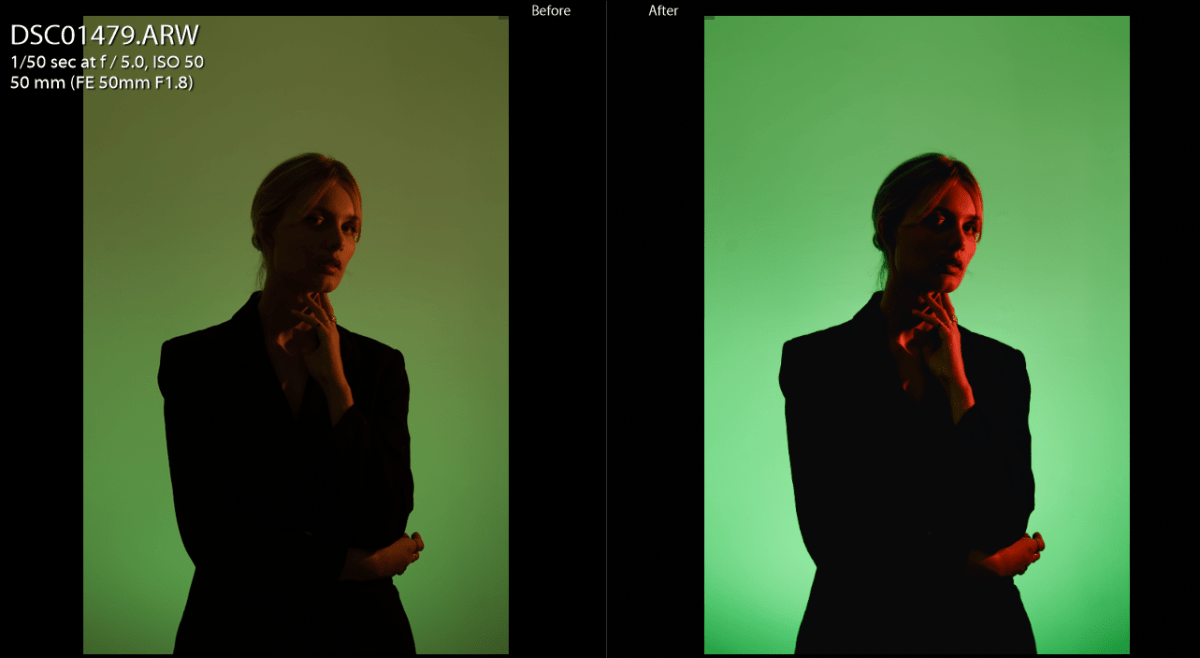
For quite a long time there has been a trend of “no filter” photographs. It’s quite interesting that many people think that if you post unedited images then they are more natural or authentic. Probably it all started from the beauty accounts where the appearance of a person is more important than the photography part itself. But later it partially transferred to the whole of photography. Obviously, most photographers know why editing is important and won’t stop doing photo editing because of this trend. But the people who are starting out might think that it’s better to keep the pictures unedited and that it’s a big mistake.
Editing not only helps to stylise image but even create certain styles like for example making a digital image look like film.
For many years I’ve been doing photography and did not edit my photos enough. I limited my photo editing to fixing the contrast and exposure and usually changing hues of 1-3 colours. One of the mistakes I notice when I look at my old photographs is that most of them are not finished works. Not every photograph requires a lot of editing but most photographs have to be edited quite well to show the subject and convey the idea clearly.
Tips for photo editing
How to make the images more expressive doing photo editing in Lightroom
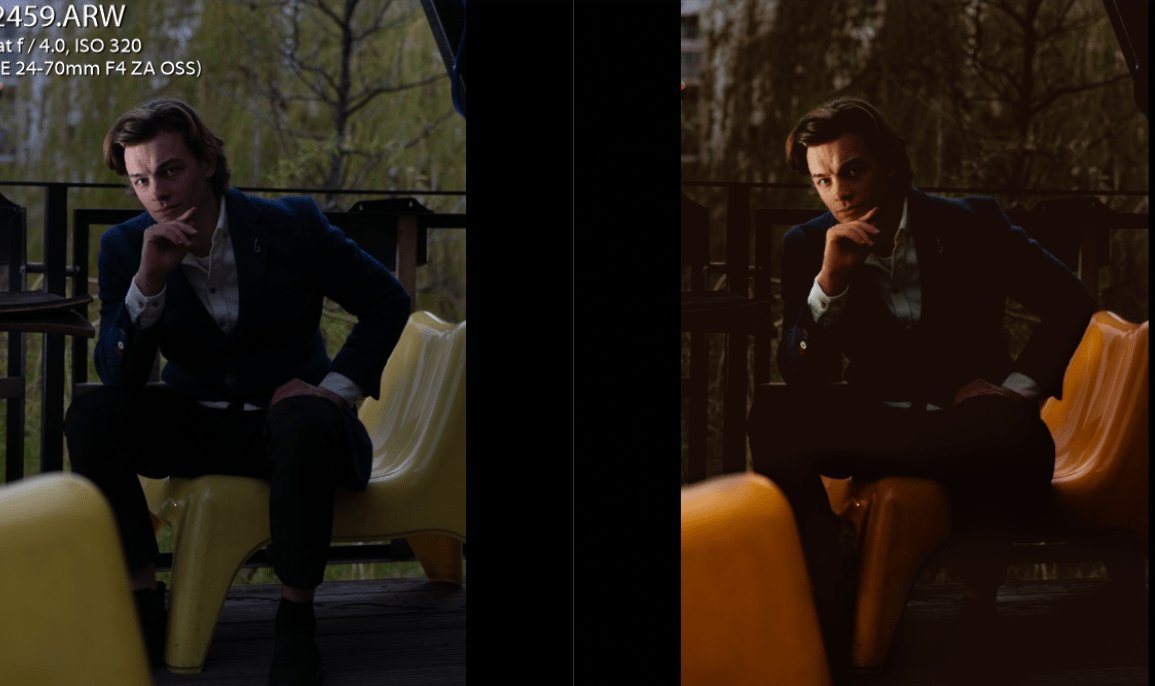
Photography itself in this case is similar to film production. If you post unedited photographs – that is similar to posting raw footage of the film. You need to pay attention to the composition, lighting and colours and do every step of photo editing. To give you a better idea here’s an example of my photograph before and after.
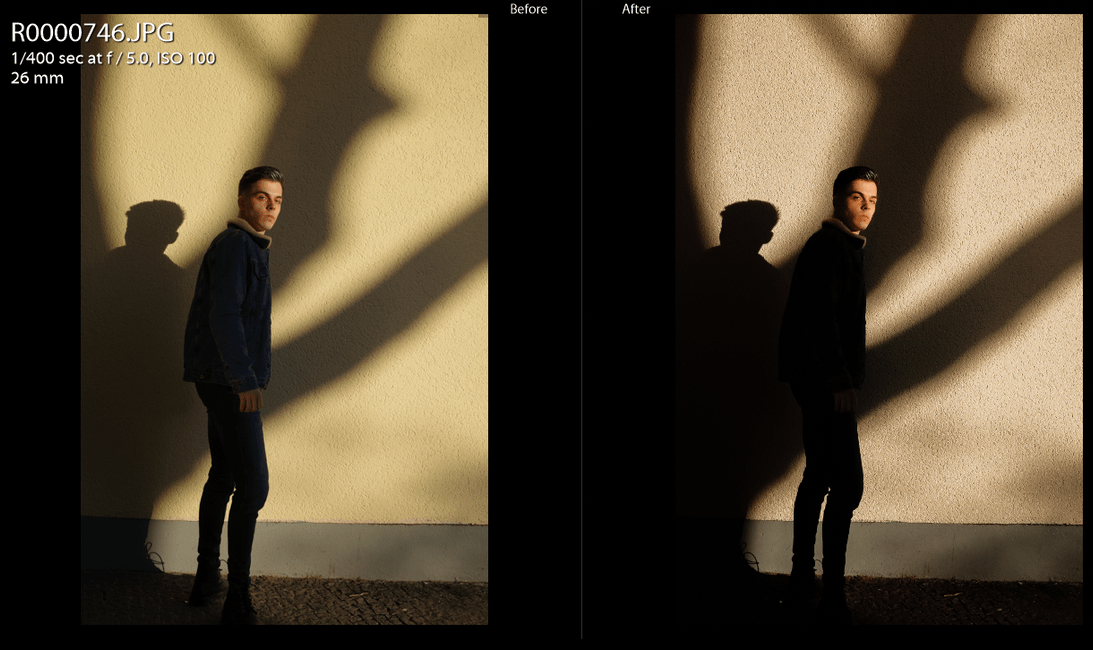
Sometimes the photos have great potential but when they are raw they might look too flat. Sometimes you can not see the main subject of the photograph and the viewer’s attention is scattered. When you edit the photograph you try to focus on one style and that helps to convey the idea of a picture.
What is also very important for photo editing is shooting in raw, if you shoot in Jpeg it will be a lot harder to edit a picture. I did that mistake when doing a photo shoot for the Ricoh GRIIIx review. While RAW gives you all info from the sensor, like a palette to work with, Jpeg is a predefined image on which you basically put filters. You can adjust each colour too but it’s like mixing paint instead of getting all colours possible.
The Tools In Lightroom That I Use The Most
Basic Panel

Basic settings and not too basic to use!) It’s the part of the editing that is vital. For example, white balance that beginners often disregard is helping to give an overall mood for an image. I use it sometimes heavily.
Clarity and dehaze are the ones to use carefully and it’s important to understand why it’s bad to pull shadows up to +80 or more.
Curve
So when doing photo editing, in the first stage I open Lightroom and apply the initial settings to them. Usually, I change most of the basic settings adjusting the contrast and moving the point of attention to the main subject of the picture. The best tool to adjust the contrast and lightness in the parts of the spectrum is to use the curve. Try to play around with it more. The curve is the setting I use the most now, but when I was starting out, I did disregard it.
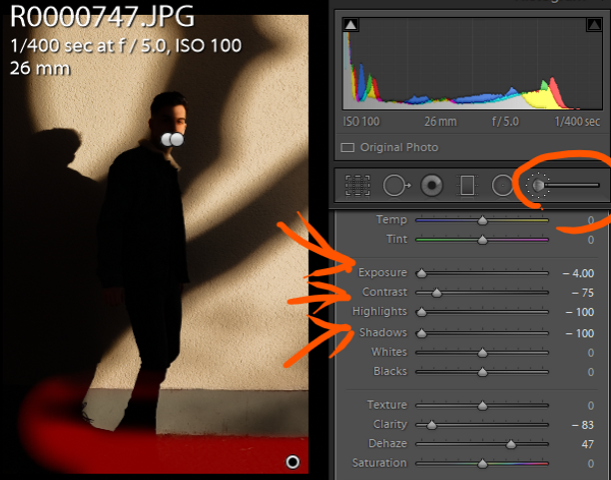
Adjustment Brush
I also often adjust the lighting on parts of a picture by using the adjustment brush. It’s a great tool that helps to bring focus to parts of images. More on that you can find out in the post about light in photography.

Highlights and Shadows Toning
Then I change the colours and hues. I like colouring the shadows very slightly in a contrasting colour, most of the time I make them orange or blue. Like on the screenshot below I coloured the shadows in a reddish-orange tone by the value of 5.
Hue Adjustment
Editing an image is about stylising it. Since for stylisation some reduction needed to be done, I change the hues to reduce the number of colours on a photograph. Basically adding contrast is reducing the details too. Details in shadows and highlights. So by editing the image, you remove odd information, leaving only needed colours and details visible.
Calibration
You can check out this calibration (above) as well since it helps to shift the hue of the whole primary colour, you can find it in the very bottom part of the Lightroom toggles.
This affects the whole image but the effects are nice and it helps you to edit easily and adjust the whole photo in no time.
For photo editing in Lightroom I would recommend:
- Go back and forth between the settings. Each of them affects the picture in a different way. Sometimes you need to add saturation to a certain colour and reduse saturation overall, to make your subject pop and to make everything look nicer
- Do not overuse “clarity” and “dehaze”. This is the setting that I used heavily when I was a beginner. Later I realised that it’s more important to manipulate the lighting rather than change the “clarity” setting. Lately, I don’t even touch these settings most of the time and don’t find them helpful.
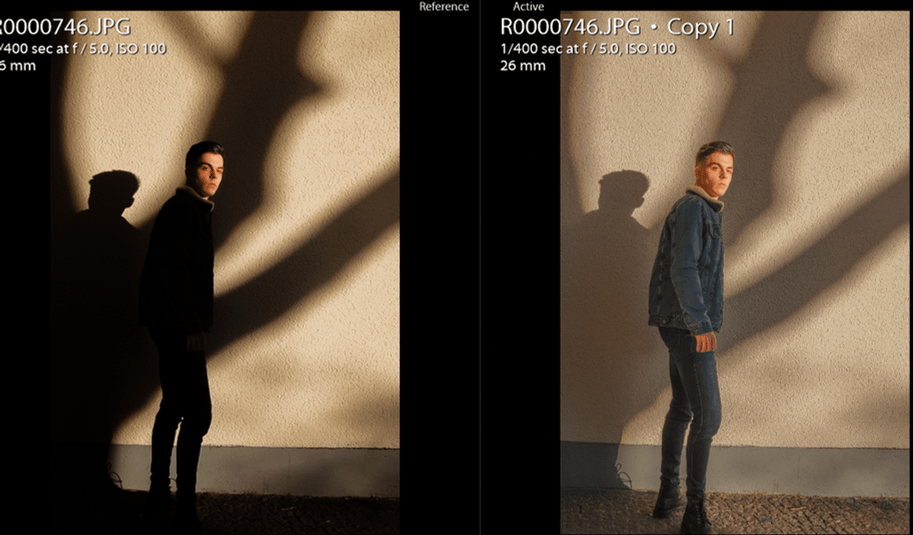
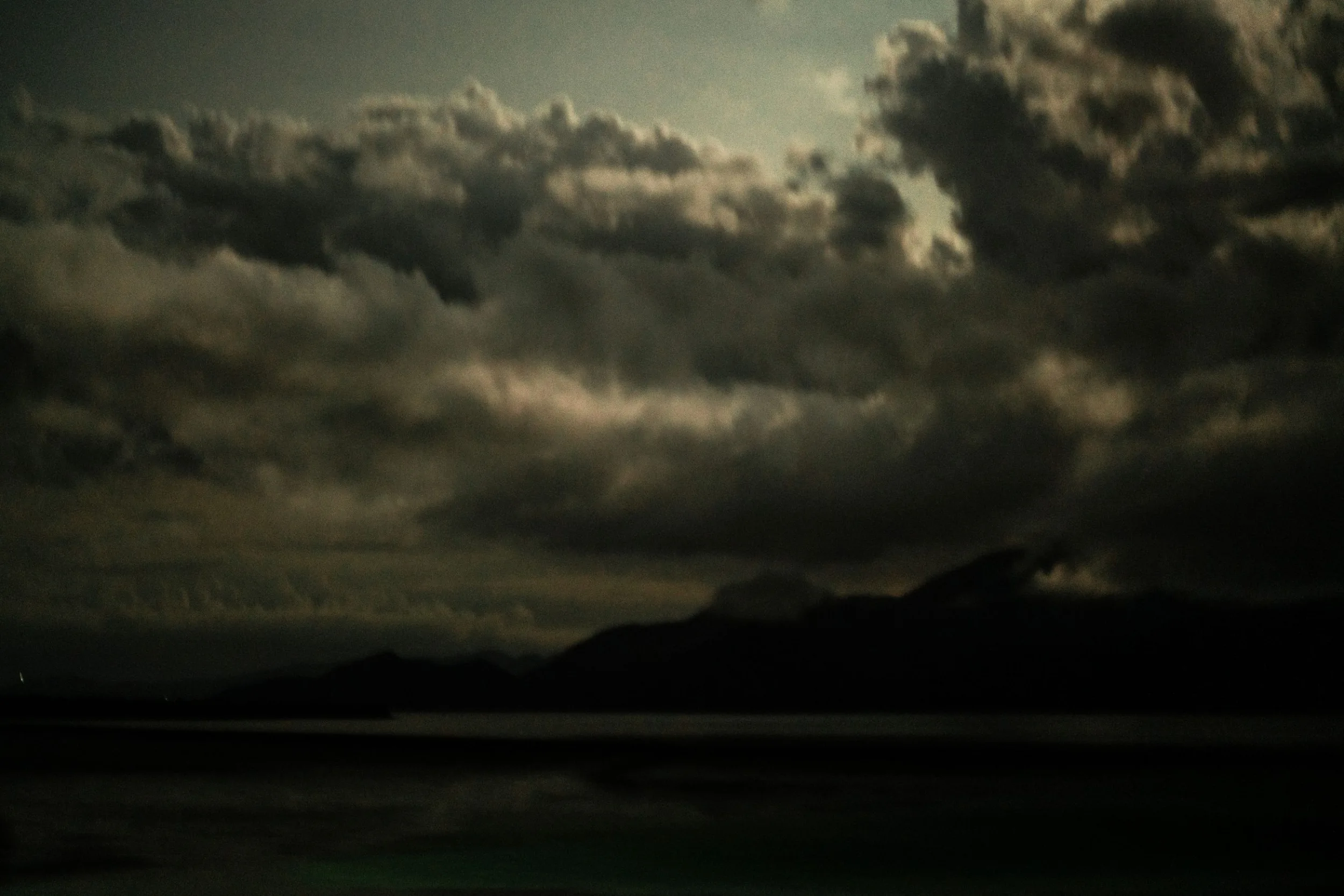
- Switching the shadows to +100 and Highlights to -100. A big dynamic range is good but not always necessary. It’s impossible to make such a change in post-production. Most probably, the colours will look dirty and the information in the shadows/highlights will not be completely restored. Try to photograph in a way to correctly expose your subject. Here’s how much of the atmosphere you can lose by flattening the image and making everything lit evenly.

- Don’t overdo any of the settings. Try to always set everything in a subtle way. It’s easy to make everything unnatural and unattractive
- Try to leave the photos for some time before exporting them. Once you have finished the photo editing – try to take a break and later come back to them. After editing hundreds of images you get tired and can’t see some mistakes.
Add some depth to the photos

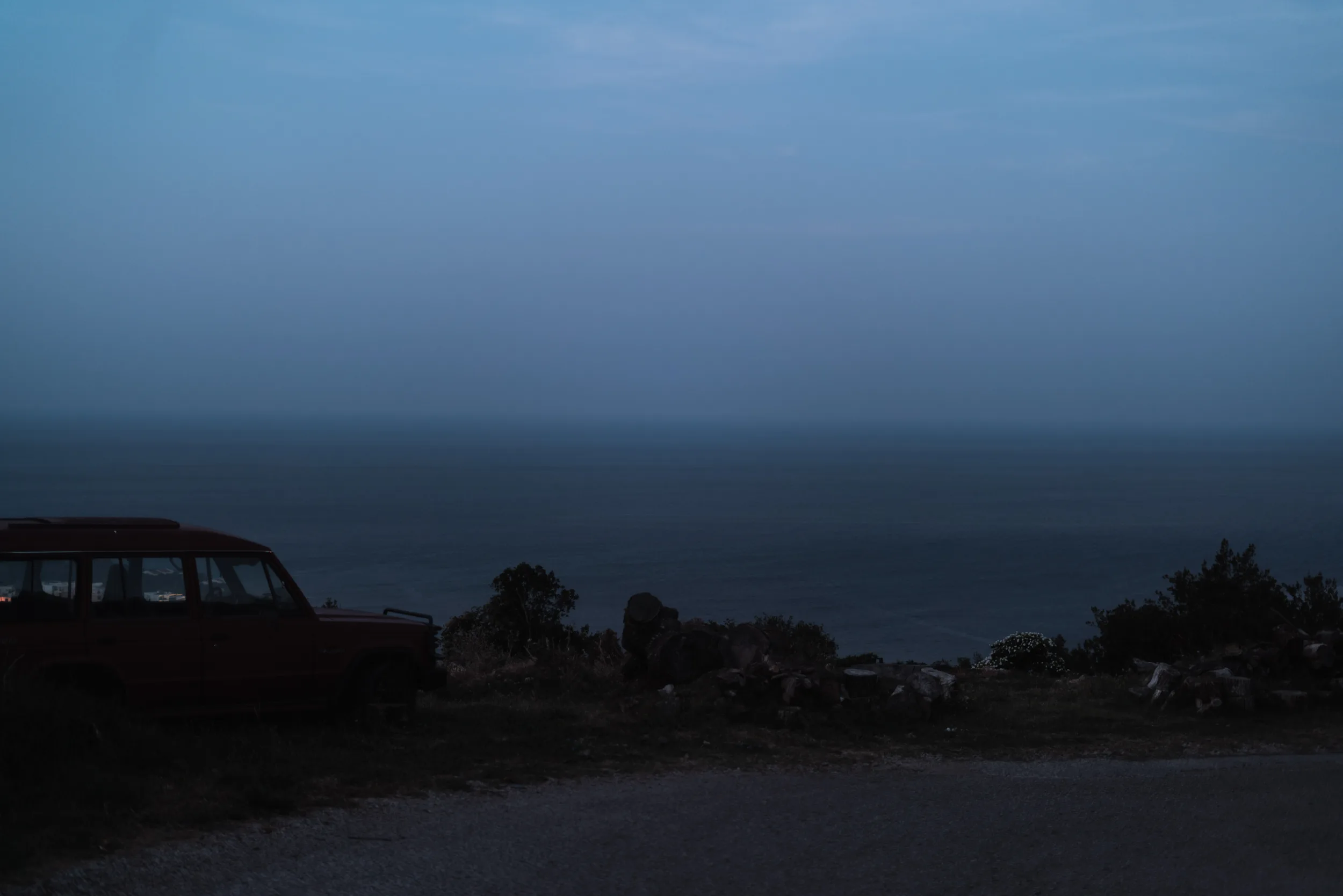
While doing photo editing try to focus most of the contrast on your subject to add some depth. The images that are evenly detailed and evenly lit are looking very flat. If you want your photograph to be engaging, sometimes you need to change the values and contrast of some parts of your image. Especially when the weather is cloudy and the lighting is flat, you need to add some dynamics to your pictures
The term Photo basically means light, so when editing the pictures try to understand that the main thing you affect is how the lighting appears on it.
Make sure you edit enough but do not overuse the tools

The problem I encountered a lot in the first few years of my photography career. I did only basic photo editing of the shadows highlights and contrast, sometimes editing the colours a bit as well. At the same time, I overused some of the settings like lifting up the shadows a lot or adding +70-80 clarity. When doing photo editing – try to make sure that your photograph is a finished product before exporting it. When we do photo editing we stylise the image – reduce the number of details on it as well as the number of colours. To make your work expressive and to show a mood on it, you need to have only a few chosen colours. Sometimes it’s better to reedit the picture a few times to get the desired result. But try to stop only when there’s really nothing to do with it anymore.
Thanks a lot for reading till the end. If you enjoyed this tutorial and would like to see more, you can go to my blog section for photographers and check out many more posts. If you would like to support me you can subscribe to me on Patreon where I also have a free self learning course where I share much more info in a detailed way from basics to more complex stuff.
pin this post for later
Hover on your preferred image to see the red “Save it” button with a Pinterest logo. Clicking on it will open a new tab to pin this blog post to one of your boards.

Comments are closed.