
It’s a very broad topic and probably the most important. It took me quite some time to start to really understand how light in photography works. As well as I did, many people disregard the fact that the lighting is the most important. Here I want to try to remind you about that. Hopefully, after reading this post you will think of lighting on your scene as a number of different local contrasts.
Some types of photography you could do with a phone. If you give me to choose a good lighting setup and a phone camera or a professional camera but without lights, my choice will be for the lights. It’s an everyday challenge when you take portrait photos or do street photography or basically any kind of photography. You choose the angle and take a photograph at the moment when your subject is well lit as you wanted. To be able to take strong and beautiful pictures you need to understand that the lighting is always relative. To get different desired effects you need to find the right contrast. (Please remember about contrast since it’s really important)
Light in photography and paintings
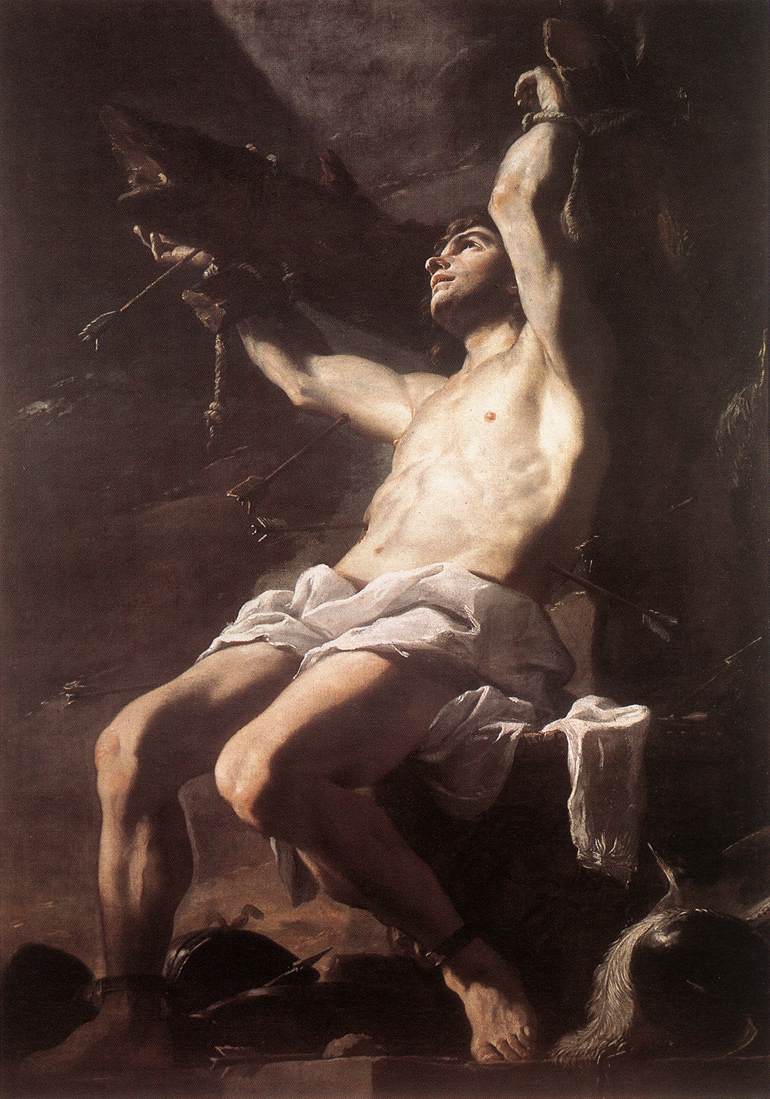
Some of the most famous painters Caravaggio, Rembrandt and Rubens are well known for the way they painted light. Since everything we see is light, it’s the only way we can experience a painting or a photograph. I believe that great photographers and painters have understood that what they photograph or paint is light. That’s why they pay so much attention to it. The term “Photo” literally means light. You don’t need to use trendy tricks to create a great photograph. It’s good to use the tricks because they help you to feel more self-confident but they don’t help you to learn. The soft and nice light that is highlighting your subject can make your photograph look very good without cheap tricks from some social media. A simple portrait can become artistic and beautiful just because there’s beautiful light falling on it.
How we see the light
Of course, the visible spectrum of electromagnetic waves consists of quite a lot of colours. But we see purely only 3 colours, the rest of the colours are the mixtures of these 3. Basically, we can detect only the presence or absence of each of these wavelengths (colours) and the correlation between them.
Our vision works in a way that it tracks contours and changes in lighting and it is easier for us to see sharp edges than smooth gradients. So even if the difference in lighting is equal but on one side it changes abruptly and on another gradually you won’t notice the gradual change.

Here the very left side of the picture might appear to you as brighter than the very right side. Both sides of this picture are 50% grey and are completely equal. It’s not easy to notice because there are 2 gradients 50-55% grey and then 45-50% grey. Because of this contrast and abrupt change in the value of grey you can’t notice the smooth change in both gradients.
Something in the shadow might seem to be bright just because it’s brighter than the surroundings. Even if the object is dark and is located deep in the shadow. Compare to everything else in the shadow this object will be bright, indeed. The same happens when you take pictures. You need to make sure that your subject is brighter than the surroundings. You can adjust your camera to new lighting conditions but make sure to pay attention to local contrast
Light in photography when taking pictures
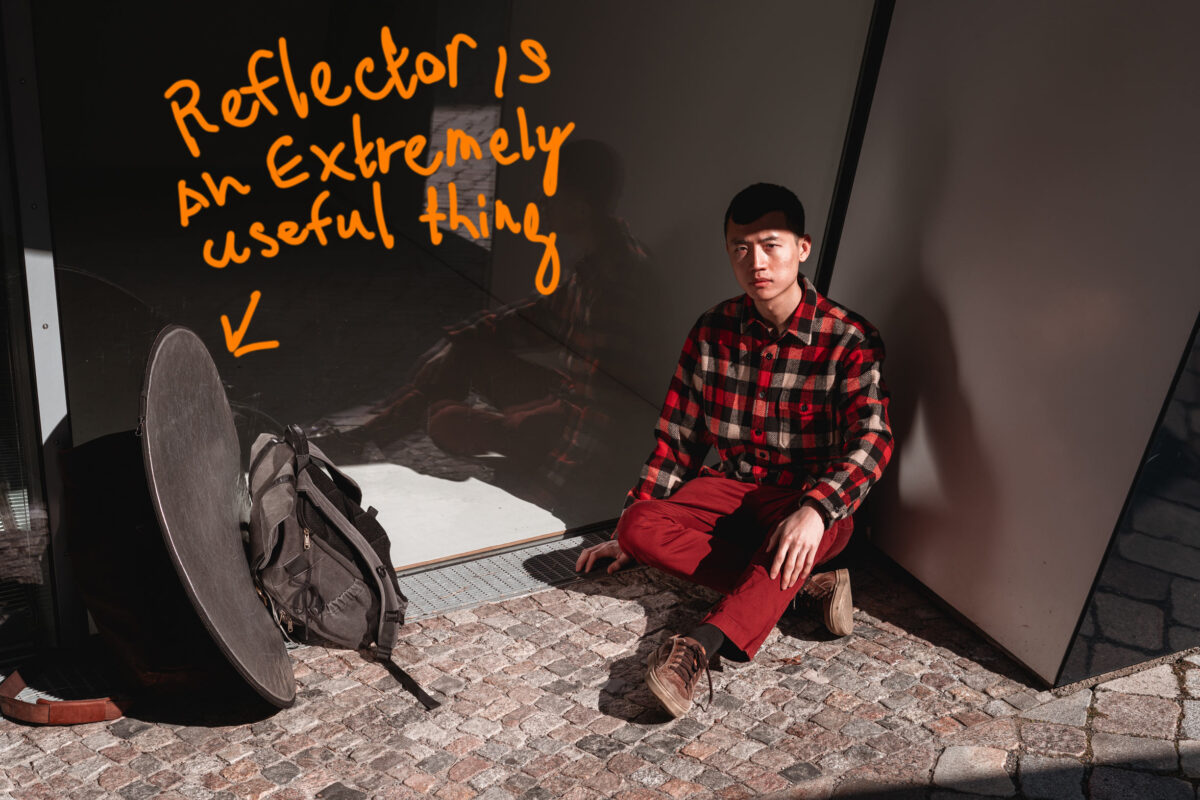
So as I said before you need to always pay attention to the light when taking pictures. Aside from knowing how to set the right exposure you need to know how to highlight your subject. For that, you can use a flash or reflect the light or find a place where the light will beautifully fall on what you want to photograph.
Using contour light in photography.
As I said before – we see the sharp edges and contours better than gradual changes. That’s why it’s a good technique to use contour light to add some depth to your photo
To create a strong contrast and immediately bring attention to your subject you can try to shoot nearly against the sun. But at the same time, you need to have a light source highlighting the subject from your side if you want to keep any details in the shadows.
Since your camera can capture less information about light than you can see, you need to find the right contrast to get the desired effect.
80% of the time I try to set the exposure to make the highlights not overexposed and I keep the shadows very dark. But if you want to create images with contour light and keep the details in the shadows then try to use a flash or reflect the light on your subject.
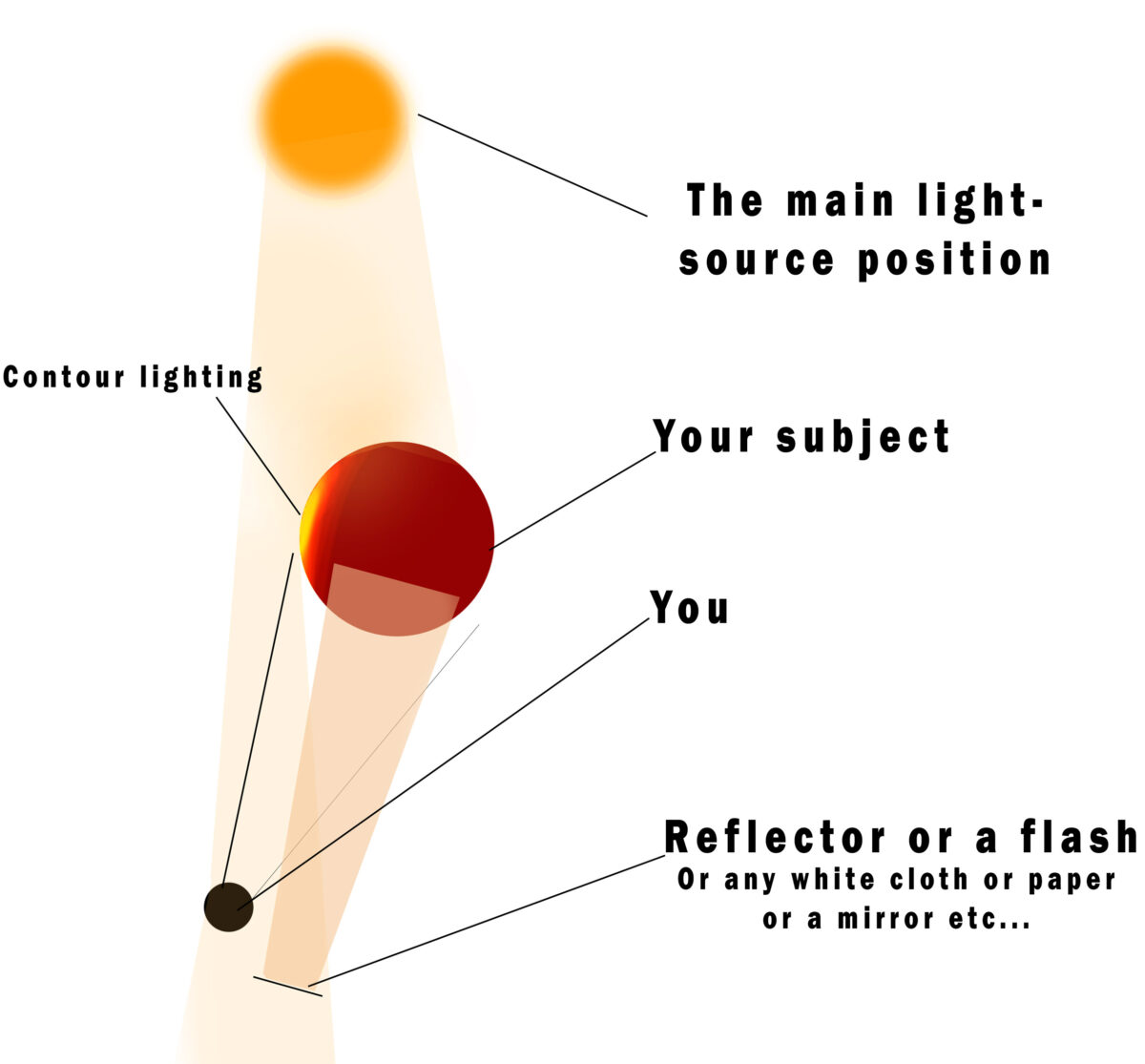
Here you can see that to take photographs against the sun (portraits for example) you will have to reflect the light on your subject to reduce the contrast between the shadow and the highlights. Otherwise, you won’t be able to bring back the details on the face of a person.
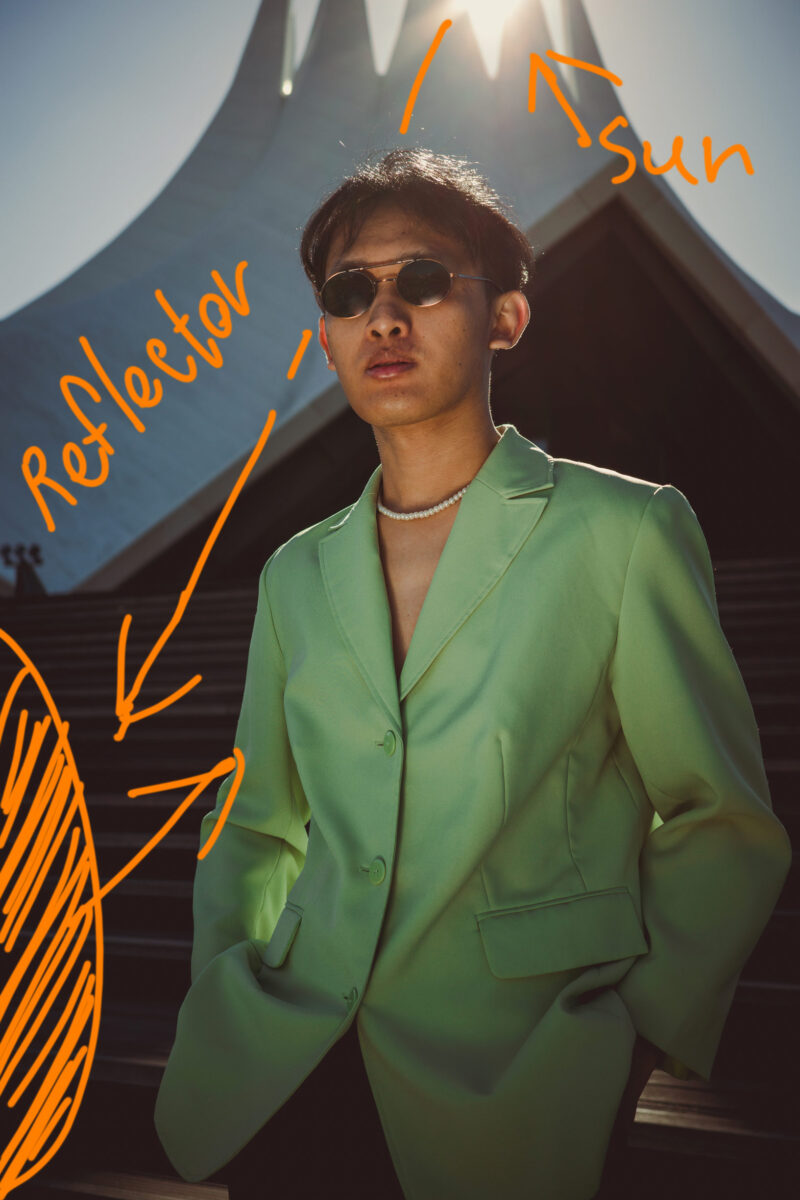
And vice versa, if you want to create silhouette pictures you can search for an angle where you will have the most contrast between your subject and the highlights.
Keep the most contrast in the focus points
When using any artificial lights you need to adjust the strength of each light to create the right contrast in certain parts of the image. Contrast is something we notice the most. That’s why it’s better to keep it higher on the main focus points of your composition. That’s why I told you in the beginning that you need to keep thinking of light in photography as a number of local contrasts and not merely as highlights and shadows.
Taking pictures on a cloudy day
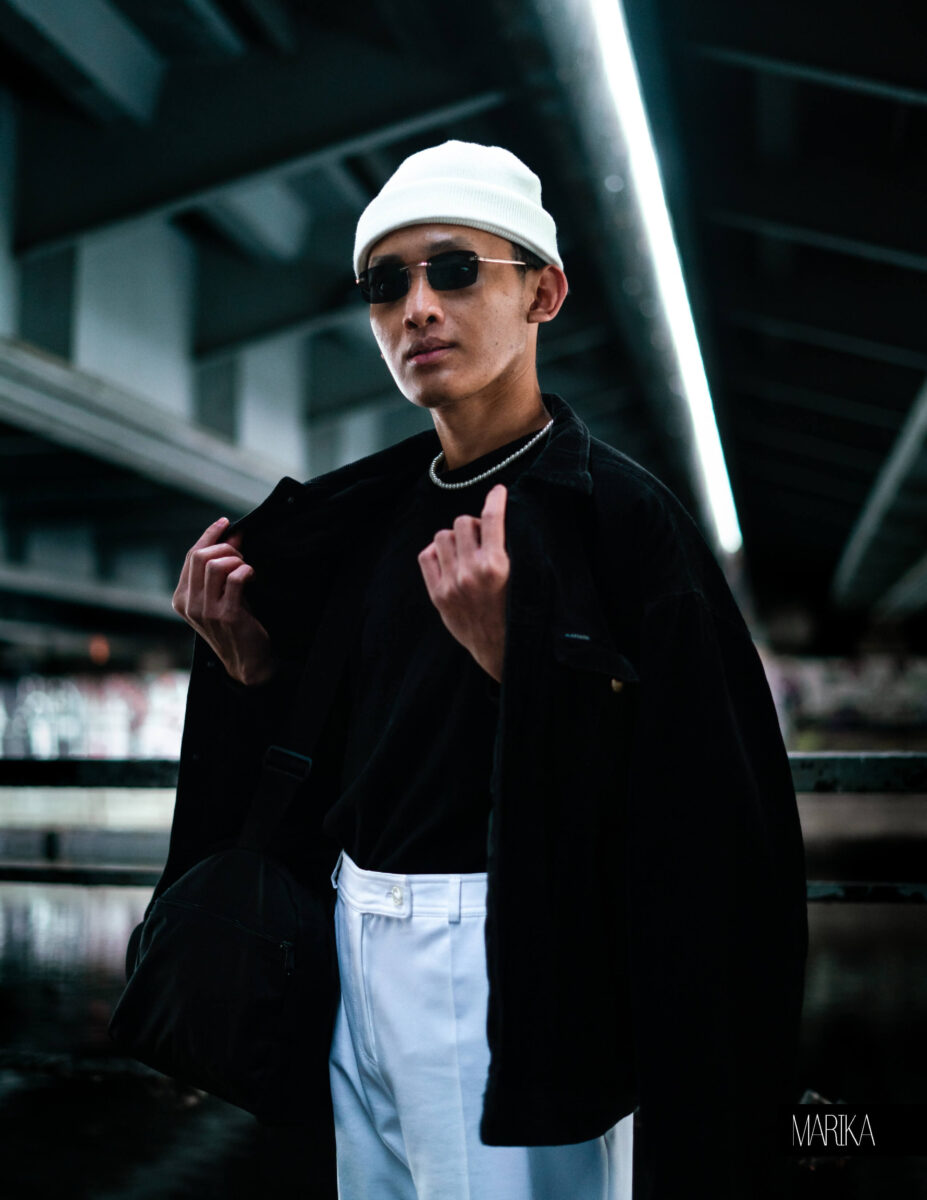
It might seem very boring to do portrait photography when the light is flat. It looks especially boring when additionally the background is pale and has many details (like taking portraits in the middle of a street for example). In this case, you could also search for stronger contrast so your picture would not look too flat. And one of the solutions is to specifically search for backgrounds that have contrasting colours (bear in mind that your subject should be even brighter than the background).
All of the colours absorb light differently. And of course, that’s what colour is – one wavelength that is reflected from a surface and the rest is getting absorbed. To make the diffused light more interesting, you can try to search for contrast in the colour of surfaces. Like your model in light yellow or white outfit against some dark brown background.
Using a flash when taking pictures
Another solution is to choose slightly darker places and use flash or any other artificial source of light. If you use a flash and a softbox in a quite dark yard that will create this separation between the model and the background.

This picture is a bit rough. Nowadays I would probably do a bit better work. But it’s a good depiction of how I used a flash with a softbox to make the model lit brighter than the background. On a cloudy evening before sunset.
Light in photography – Post Processing
After you have taken pictures, of course, you need to do some photo editing.
I wrote about this topic in another blog post but here I want to focus attention specifically on the lighting.
Basic Edits
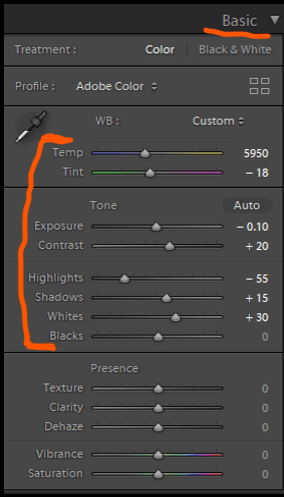
If you know how to edit the pictures well, you can achieve great results in the most basic toggles. I would actually pay attention the most to the top ones. Like white balance, hue, exposure, highlights and shadows.
Different light can create a completely different atmosphere.
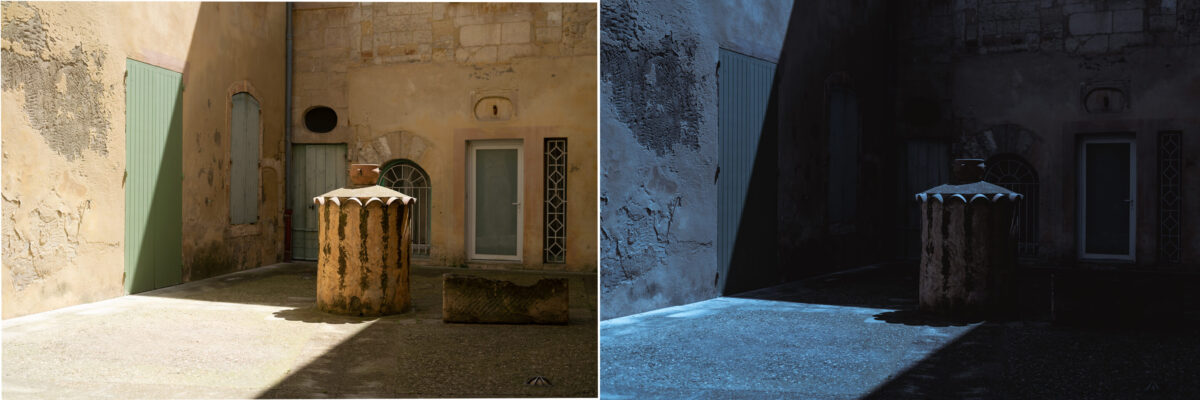
Here I changed temperature and exposure. Now it looks more like a full moon night, although I’ve taken the picture in the middle of the day. I very rarely need to do such extreme changes but this is an example of how strongly you can affect a photograph.
Adjustment Brush
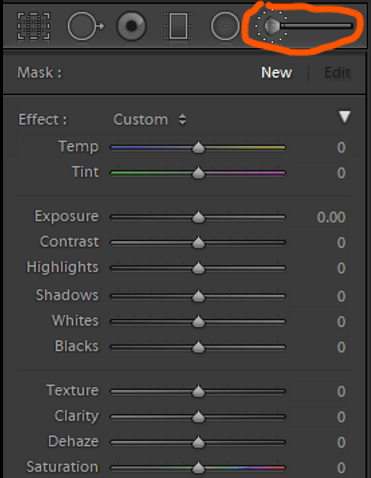
What I want to focus on the most is one very important tool for improving the contrast and light in photographs. And it’s the adjustment brush tool. While with the basic settings you can change the overall appearance of your photos, with the adjustment brush tool you can change the contrast in different parts of the pictures.
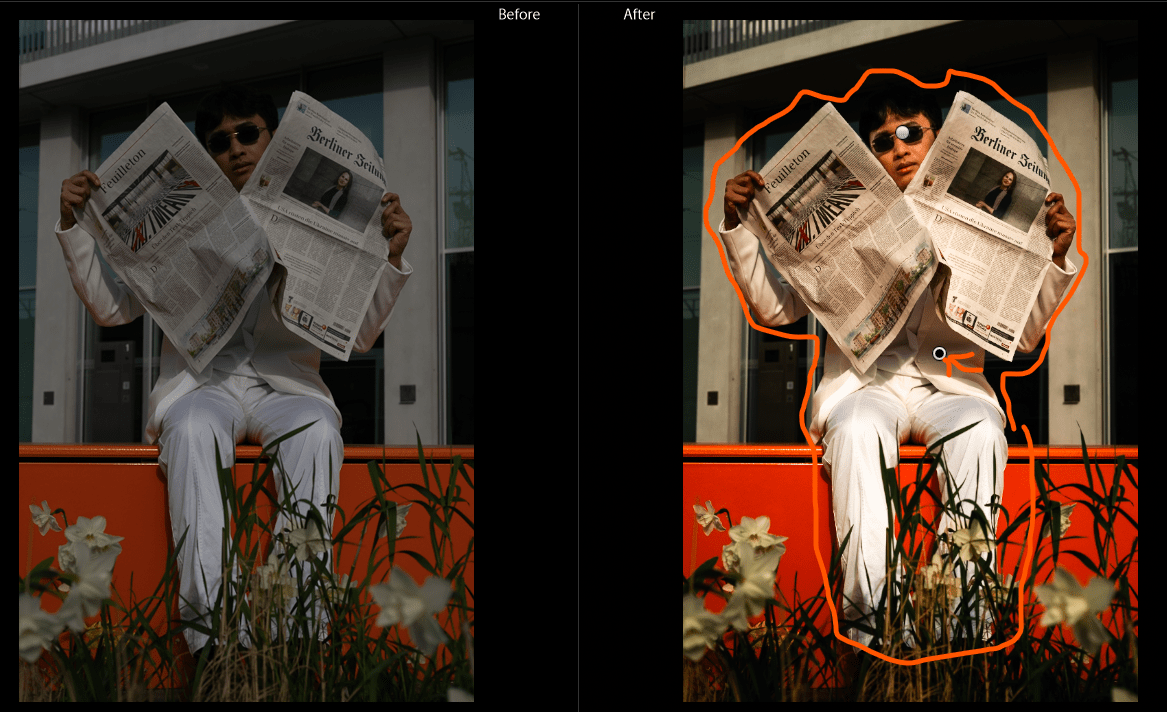
While the raw picture on the left is flat and underexposed, the portrait on it is getting lost among evenly lit surroundings. To fix that I applied the adjustment brush tool in Lightroom to the area inside the orange contour. I have created some differences between the lightness of the foreground and background. That way I increased the contrast.
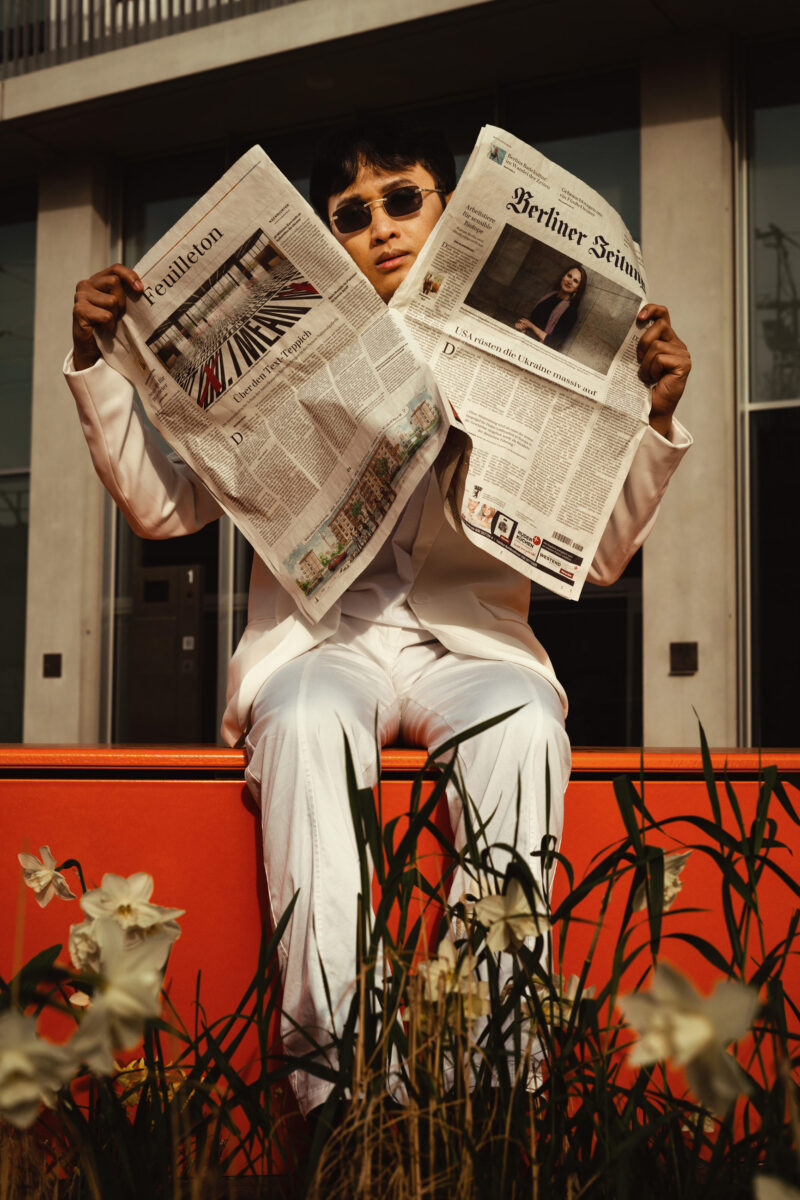
Remember that this is only a solution to correct the lighting or fix your own mistakes. Ideally, you need to choose the right lighting and background to get better results straight out of your camera.
Even when your picture looks almost perfect – using the adjustment brush tool can help you to improve the light on your photograph and change the contrast in some parts of it.
But most of the time my raws are quite bad and require a lot of editing.
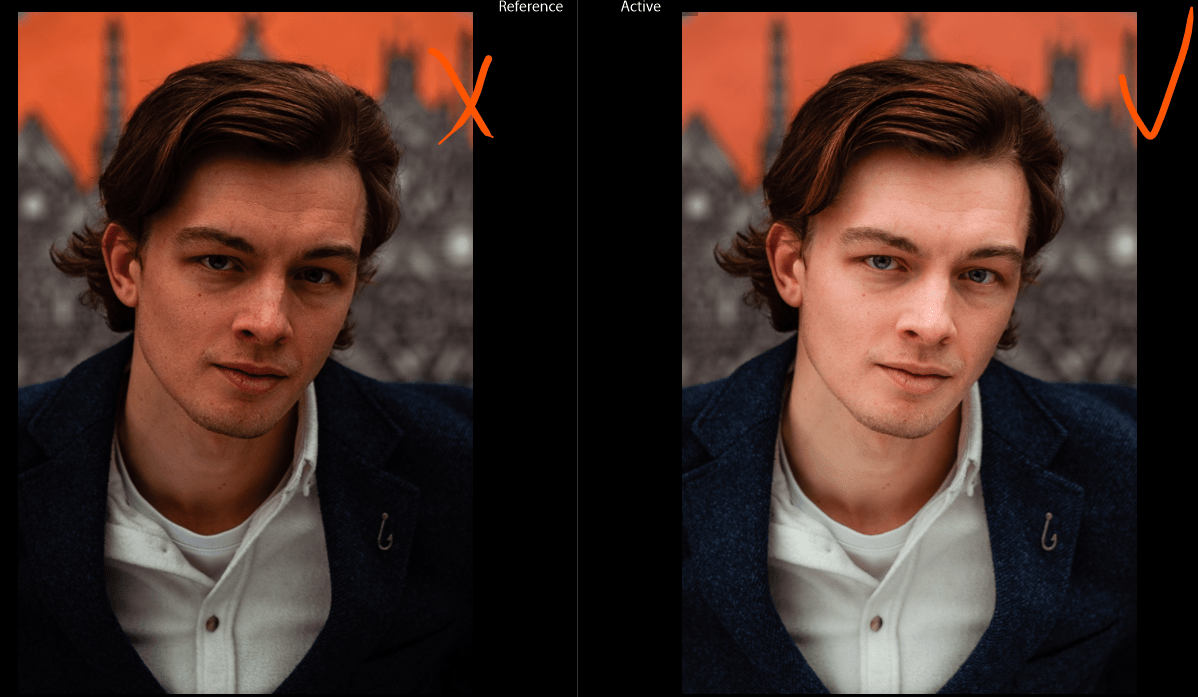
Here I ticked the picture on the right where I used the tool and crossed the one where I switched it off.
In this picture, I add some texture to the hair. I also make exposure and shadows brighter on the face. Finally, I make the background slightly more pale by removing the clarity from there. By the way, to make the background darker you can lower the exposure and then bring the brightness back using the adjustment brush tool. This is not a finished photograph, after lightroom, I edit it in photoshop.
Light in photography is the most important.
Pay attention to light more than to what you shoot. Remember that whatever you photograph, you capture the light reflected from your subject. It’s a very basic thought, but understanding that can help to understand how some of the photographs were created. A better understanding of light helps you to have a lot more power over your camera and pictures.
Think of the scene as a number of surfaces that reflect light and try to understand the contrast between them. Painters can always make bigger and rougher paint strokes when painting the background. To make less of details on the background and bring all of the attention to the main subject. We photographers can also manipulate the light (or the way we capture that) to reduce or increase the contrast in some parts of the images.
I hope you found this post helpful. If you did, please consider subscribing to my newsletter which will help you to improve your photo skills. In the newsletter, I send notifications about new posts and photography tutorials and sometimes updates about my photography projects.

Comments are closed.